
This user guide provides instructions for setting up, operating, and configuring the Alcatel T76 TW A/W cordless telephone.
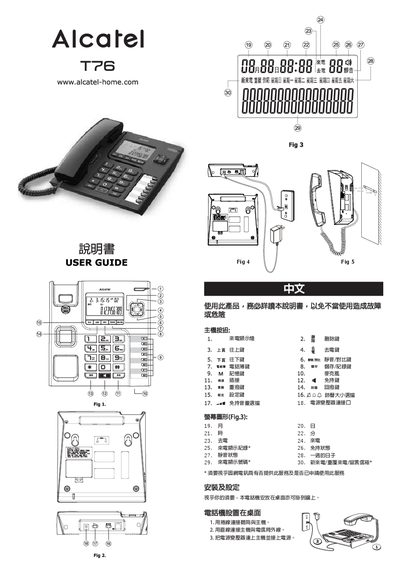
The Alcatel T76 TW A/W is a cordless telephone system designed for home use. This manual covers installation procedures for both desktop and wall-mounted configurations, including connecting the handset to the base unit and linking the base to the telephone line or mobile network provider.
Once installed, users can configure various settings such as date, time, outgoing prefix code (PCODE), and dialing tone type (Tone/Pulse). The guide also details how to perform basic operations like making calls, accessing call logs, storing phone numbers in memory slots M1-M8, and managing the mute function.
Yes, the manual states that depending on your needs, the telephone can be placed on a desktop or mounted on a wall.
Press the button while in mute mode to select a brightness level from 1 to 5, with the default setting being level 3.