
Quick start guide for the Alcatel SP2502 phone covering calls, call transfer, conferencing, phonebook, voice mail and settings.
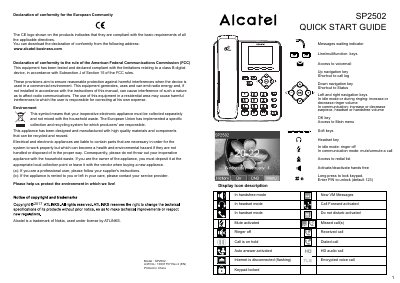
The Alcatel SP2502 Quick Start Guide explains the phone's display icons and basic call handling, including making, accepting, holding and transferring calls, and setting up a 3-party conference. It also covers the call list, phonebook, programmable keys, voice mail, call forwarding, do not disturb and language settings, plus access to the phone web interface.
The guide begins with FCC conformity and environmental declarations. It identifies the model as SP2502 and gives default values for the keypad unlock PIN and administrator web login.
| Model | SP2502 |
|---|---|
| Default keypad unlock PIN | 123 |
| Default administrator web login | admin/admin |
| FCC compliance | Class B digital device |
For pre-dialling, enter the phone number and then pick up the handset; for direct dialling, lift the handset and enter the phone number.
Press the Menu soft key, then go to 3 Settings > 1 Basic Settings > 7 Language, select the desired language and confirm.
Press Menu > 2 Features > 1 Call Forward, then select the line, type of forward, destination number and status, and save.
Use the phone web interface, or go to Menu > 3 Settings > 1 Basic Settings > 1 Keyboard > 1 DSS Key settings, select the key, function and value, and press Save.