
CHD-380 is a PC to video converter with high performance and support for multiple formats. It converts the images from PC and HDTV into NTSC/PL interlaced scan signal and composite video output, making it an ideal solution for video conferencing, home theater, commercial displays, and enjoying PC/HDTV images on TV. The converter supports high-resolution PC input up to UXGA (1600X1200@60Hz) and HDTV input up to 1080i@60Hz. Users can choose the output video format between composite/S-video and video/component (YCbCr). It also features adjustable image scaling, panning, positioning, and zooming. The advanced 2-D flicker filter technology ensures flicker-free images. It is also compatible with widescreen signal sources and allows adjustments to contrast, brightness, color, and sharpness. The converter has memory storage for the last settings, and convenient functions like full-screen/non-full-screen conversion, image freeze, signal preview, and zooming. It can be adjusted and controlled via the RS-232 interface and operated with the remote control and OSD display.
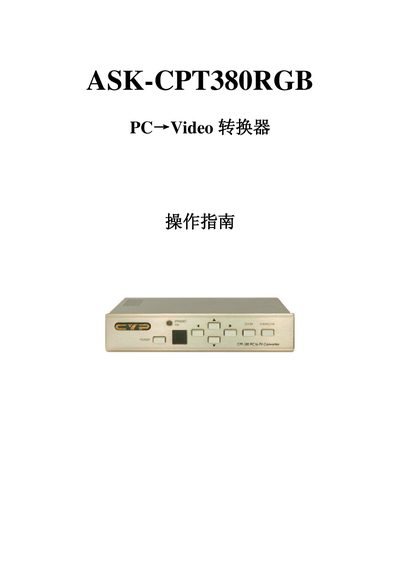
The CPT380 is a PC‑to‑video converter that accepts high‑resolution PC (up to UXGA 1600×1200@60 Hz) and HDTV (up to 1080i@60 Hz) inputs and outputs NTSC or PAL composite, S‑Video or component signals. It offers on‑panel, infrared remote, and RS‑232 control, with adjustable contrast, brightness, color, sharpness, and zoom functions.
The manual explains how to power the unit, select input sources, adjust image settings, use the remote or RS‑232 software on Windows, and reset parameters to factory defaults. Connection diagrams, button functions, and software installation steps are included. This manual is written in Chinese.
| Maximum PC input resolution | UXGA (1600×1200) @ 60 Hz |
|---|---|
| Maximum HDTV input resolution | 1080i @ 60 Hz |
| PC input connector | HD-15 (male) |
| Composite video output | 3× RCA |
| Dimensions (W×D×H) | 204 mm × 155 mm × 50 mm |
| Weight | 1 kg |
Press the NTSC/PAL button on the remote or front panel to select the desired video format.