
This Quick Start Guide introduces basic operating methods for the VPC-GH1EX, VPC-GH1GX, VPC-GH1PX, VPC-GH1TA and VPC-GH2 cameras.
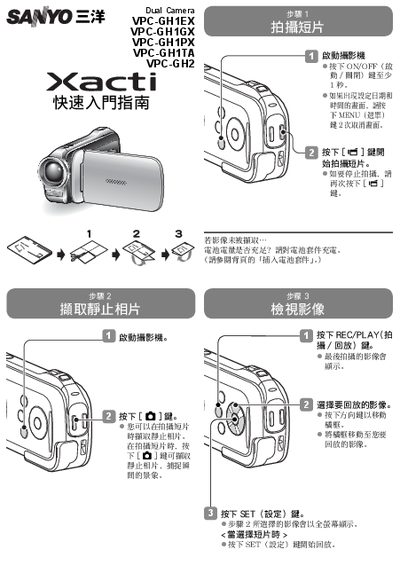
This guide provides step‑by‑step instructions for using the VPC‑GH1 series dual cameras. It explains how to turn the camera on, capture still photos, record short video clips, and play back recorded media.
Additional sections cover connecting the camera to a computer via the USB interface, accessing internal memory, and inserting or removing memory cards. The guide also includes troubleshooting tips for common issues such as low battery or insufficient storage. This manual is written in Chinese.
| Supported Models | VPC‑GH1EX, VPC‑GH1GX, VPC‑GH1PX, VPC‑GH1TA, VPC‑GH2 |
|---|
Press the [咎] button during video recording to capture a still photo.
Press the [吧] button again to stop recording.
Use the provided USB interface cable to connect the camera to the computer.
Open the card slot, insert the card, and close the slot.