
DS6R-CHI 6 area keyboard installation guide, introduces the product features, specifications, installation methods, etc.
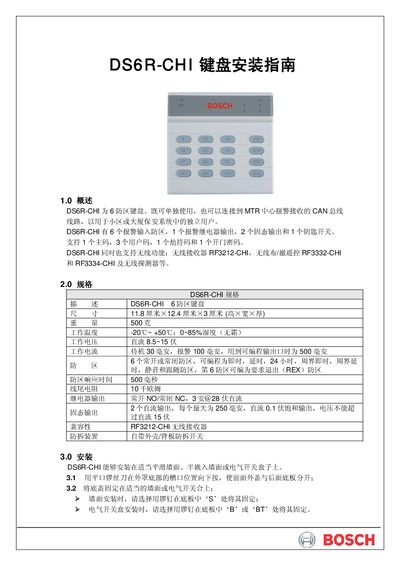
This guide explains how to install the Bosch DS6R-CHI 6-zone keyboard, including mounting options, wiring connections, and system programming. It covers RS485 bus setup, zone configurations, relay and solid-state output connections, and external arming/disarming switches. The guide also details programming steps for user codes, alarm settings, and wireless functionality using compatible RF devices.
The DS6R-CHI supports 6 alarm zones, 1 relay output, 2 solid-state outputs, and a key switch. It operates on 8.5–15V DC and includes features like tamper detection, programmable zone types, and wireless integration with RF3212-CHI and other RF devices. This manual is written in Chinese.
| Dimensions | 11.8cm × 12.4cm × 3cm (H × W × D) |
|---|---|
| Weight | 500g |
| Operating Temperature | -20℃ to +50℃ |
| Operating Humidity | 0~85% (no condensation) |
| Operating Voltage | DC 8.5~15V |
| Operating Current | Standby: 30mA, Alarm: 100mA, Programmable Output: 500mA |
| Alarm Zones | 6 zones (NO/NC), programmable as instant, delay, 24-hour, perimeter, silent, or follow zones; Zone 6 can be REX zone |
| Zone Response Time | 500ms |
| End-of-Line Resistor | 10kΩ |
| Relay Output | NO/NC, 3A @ 28V DC |
| Solid-State Outputs | 2 outputs, max 250mA each, 0.1V saturation, voltage ≤ 15V DC |
| Wireless Compatibility | RF3212-CHI receiver, RF3332-CHI and RF3334-CHI remote controls, and wireless detectors |
Install it on a smooth wall, semi-embedded wall, or electrical switch box using screws at designated locations ('S' for wall, 'B' or 'BT' for switch box).
A 120Ω resistor must be connected between RS485A and RS485B at the end of the bus.
The default master code is [1][2][3][4].