
MO-Call is an international long-distance telephone service software that can save users' telephone expenses and support communication connections worldwide.
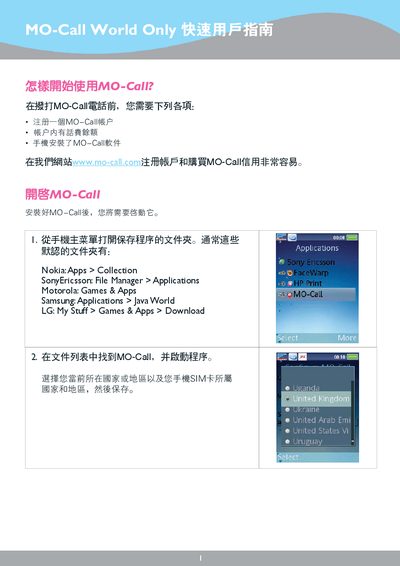
This guide explains how to register for a MO-Call account, install the app, and make international calls. It details steps for launching the app, selecting your country, and setting up call forwarding via SMS to Morodo servers. The service saves on roaming charges by using SMS instead of direct international calls. To use MO-Call World, you must have a registered account with credit, the app installed, and your phone configured to your SIM’s country. Calls are initiated by entering a destination number and a local number for callback. The system sends an SMS to Morodo, which then calls back to connect the call. This manual is written in Chinese.
Register an account at www.mo-call.com, install the app, and launch it. Select your country and save the settings.
You must register an account, have a balance, and install the software on your phone.
It terminates the outgoing international call and sends an SMS to a gateway to initiate a callback.
The Morodo server will call back your phone number instead of a specified number.