
This quick start guide explains how to use the MO-Call World application. MO-Call World can help you save on international long distance phone calls.
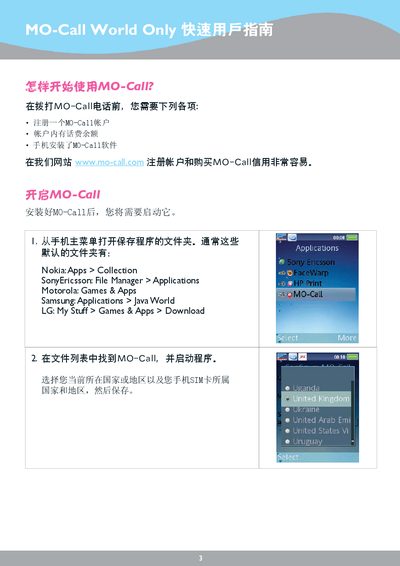
MO-Call World is a mobile application that lets users place international calls and send SMS messages through the Morodo network. After installing the app and creating a MO-Call account, the service routes calls via a local SIM to reduce costs.
The guide walks you through the required prerequisites, installation steps, and how to place a call or send a message. It also provides troubleshooting tips and contact information for 24‑hour support. This manual is written in Chinese.
| Required account | MO-Call account |
|---|---|
| Supported phone brands | Nokia, SonyEricsson, Motorola, Samsung, LG |
| SIM requirement | Mobile phone SIM with local number |
First create a MO-Call account, then install the MO-Call software on your phone and follow the on‑screen setup steps.