
This is a Final Cut Pro manual, which introduces the basic usage of Final Cut Pro
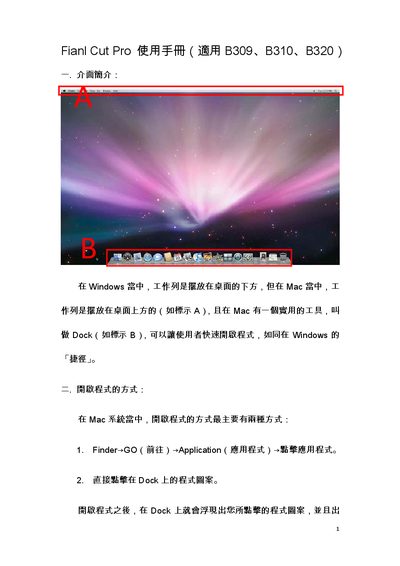
The manual introduces the Mac interface differences, the Dock, and how to launch Final Cut Pro via Finder or the Dock. It also covers useful keyboard shortcuts such as Command+Q to quit and Command+Space to switch input methods.
Further sections describe setting scratch disks, choosing project formats (NTSC DV‑NTSC or HDV), exporting to QuickTime or Compressor, and important notes about dual‑boot iMacs, external drive file systems, and software version compatibility. This manual is written in Chinese.
| Supported video format (DV) | NTSC DV‑NTSC |
|---|---|
| Supported video format (HDV) | HDV |
You can open it via Finder → Go → Applications → click the program, or by clicking its icon in the Dock.
Press Command (Apple key) + Q to quit the program.
The external drive must be formatted as FAT32; NTFS is read‑only on Mac.
Hold the Option key while the computer starts until the disk icons appear, then select the disk labeled "Windows".