
Key facts
- Manuals
- 3
- Languages
- ZH
- Last added
- 2011-11-16
Featured Fianl manuals
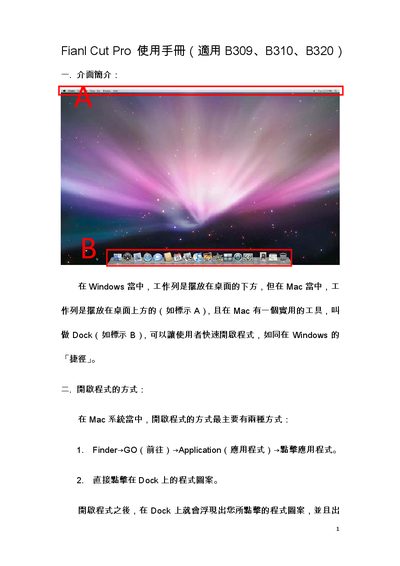
Apple Final Cut Pro User Manual
The manual explains how to launch Final Cut Pro on both macOS and Windows, describes the layout of the workspace, and lists useful keyboard shortcuts such as Command+Q to quit and Command+W to close windows. It also covers how programs share the same Dock and how to switch between applications.
Further sections detail Scratch Disk settings, export options (including NTSC/DV and HDV formats), and important notes on system requirements, external drive formatting (FAT32), and version compatibility with Final Cut Studio 2. This manual is written in Chinese.
Covers: Opening the program · Keyboard shortcuts · Program sharing in the Dock · Starting Final Cut Pro · Scratch Disk settings · Exporting projects
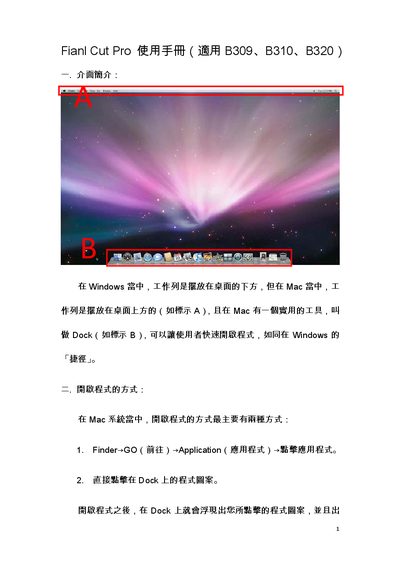
Apple B309/B310/B320 Final Cut Pro User Manual
The manual introduces the Mac interface differences, the Dock, and how to launch Final Cut Pro via Finder or the Dock. It also covers useful keyboard shortcuts such as Command+Q to quit and Command+Space to switch input methods.
Further sections describe setting scratch disks, choosing project formats (NTSC DV‑NTSC or HDV), exporting to QuickTime or Compressor, and important notes about dual‑boot iMacs, external drive file systems, and software version compatibility. This manual is written in Chinese.
Covers: Interface Introduction · How to Open the Program · Keyboard Shortcuts · Menu Sharing · Getting Started with Final Cut Pro · Project Settings
Latest Fianl manuals
Fianl Cut Pro Manual(2)
Apple Final Cut Pro User Manual
User Manual 7 pages · 655 KB · ZHThis Apple Final Cut Pro user manual provides step‑by‑step instructions for installing, configuring, and using the software on Mac and Windows systems.
Apple B309/B310/B320 Final Cut Pro User Manual
User Manual 7 pages · 655 KB · ZHThis Apple Final Cut Pro user manual explains the interface, shortcuts, project settings, and export steps for B309, B310, and B320 classroom computers.
Which document do I need?
User Manual
Day-to-day operation, settings and troubleshooting. Start here if the product is already set up.
Questions answered in Fianl manuals
How do I quit Final Cut Pro using a keyboard shortcut?
Press Command + Q to quit the program.
Which format should I choose to export a DV project?
Select NTSC as the format and choose DV‑NTSC in the Use options.
How can I open Final Cut Pro on a Mac?
You can open it via Finder → Go → Applications → click the program, or by clicking its icon in the Dock.
What keyboard shortcut closes Final Cut Pro?
Press Command (Apple key) + Q to quit the program.