
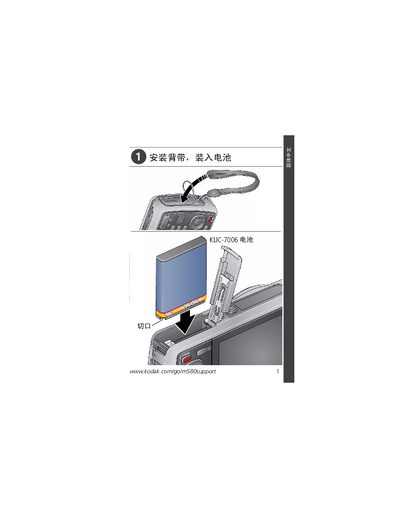
This document provides instructions on how to install, charge, set up, and use the Kodak camera, as well as how to download software and transfer photos. The camera features smart shooting mode and photo/video playback.
This guide explains how to set up and operate the Kodak M580 digital camera, including menu navigation, USB connection, and using the EasyShare Center. It also contains safety and regulatory information.
Key sections cover the camera’s menu system, the Micro USB B connector for data transfer, the High‑Performance USB AC Adapter (K20‑AM), and FCC/ICES compliance details.
| FCC Classification | Class B digital device |
|---|---|
| USB connector type | Micro USB B |
The camera uses a Micro USB B connector for data transfer.
Yes, it complies with the limits for a Class B digital device under FCC Part 15.
Software can be downloaded from the Kodak EasyShare Center at www.kodak.com/go/easysharecenter.