
Philips mobile phone user manual, introduces the basic functions and usage methods of the mobile phone
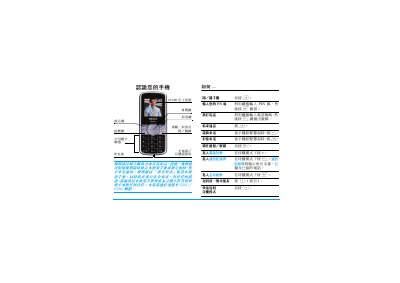
This manual describes the Philips Xenium mobile phone and its operating features. It explains SIM card installation, battery charging, keypad shortcuts, making and receiving calls, and handling multiple calls.
The document also covers text entry, call functions, messages, phone settings, multimedia, value-added services, games and Java applications, WAP, utilities such as the calculator and alarm clock, and the phonebook. It also includes icons, troubleshooting, original Philips accessories, SAR information, and warranty service. This manual is written in Chinese.
| Network | GSM / GPRS |
|---|---|
| Main display | 65,000 colors |
| PIN code length | 4 to 8 digits |
| Charging time | Approximately 2.5 hours |
| Shortcut keys | Number keys 2 to 9 |
The phone needs approximately 2.5 hours to charge fully. The battery symbol indicates the charging status.
Remove the back cover and battery, lift the SIM card holder from its hinge, and place the SIM card with its cut corner correctly positioned and gold contacts facing down.
The SIM card will be locked, and you must ask the service provider for the PUK code to unlock it.
Enter the phone number with the keypad, press the call key to dial, and press the end key to hang up.