
ARC5300-B0 USB-to-RS485 converter, used to convert USB signals to RS485 signals, supports half-duplex multi-point transmission and is compatible with USB 1.1 version.
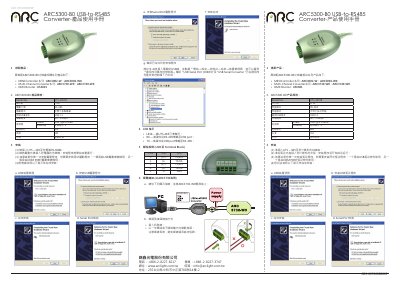
This is the two-page user manual for the ARC ARC5300-B0 USB-to-RS485 converter, model number UTS-485TB, published by ARC SOLID-STATE LIGHTING CORPORATION (錦鑫光電股份有限公司). It opens with the ARC products the converter is meant to be used with — the MINI Controller series (ARC3002-W, ARC3004-W0), the Multi-Channel Converter series (ARC3730-W0, ARC3740-W0) and the DMX Booster US6601 — then lists the converter's specifications, including the FTDI chipset, RS-485 interface, half-duplex multi-drop mode, USB 1.1 compatibility, minimum 3 Mbps data speed, bus power and 1 m cable length.
The rest of the manual explains installation: plugging the unit into a PC USB port, running the driver CD, installing the USB driver and the COM port driver (twice on a first installation), and checking in Device Manager that "USB Serial Port (COM3)" and "USB Serial Converter" appear. It also describes the LINK, RX and TX LED indications, the five pin assignments of the terminal block, and hardware connection using the ARC3730-W0 as an example, with a note to keep bare wire short to avoid a short circuit. Text is given in Traditional Chinese, Simplified Chinese and English. This manual is written in Chinese.
| Model No. | UTS-485TB |
|---|---|
| Chipset | FTDI |
| Device Interface | RS-485 |
| Communication Mode | Half-duplex-Multi drop |
| Compliant USB Version | USB 1.1 |
| Data Speed | Min. 3 Mbps |
| Connector (upstream) | USB Type A Male |
| Power Mode | Bus |
| Cable Length | 1M |
| Housing | Plastic |
The converter uses the FTDI chipset, with an RS-485 device interface.
You need to install the driver twice: one for the USB device and one for the COM port.
Open Device Manager and confirm that "USB Serial Port (COM3)" and "USB Serial Converter" appear.
RX lights when data is being sent from the RS-485 device to the USB port.