
Key facts
- Manuals
- 6
- Languages
- EN · ZH
- Last added
- 2026-10-03
Featured ARC manuals
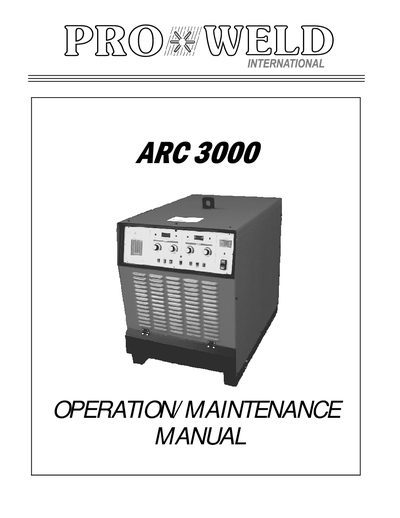
ARC 3000 PRO WELD Operation and Maintenance Manual
This manual introduces the ARC 3000 PRO WELD stud welding system, covering warranty information, unpacking steps, and essential safety precautions for operators and service personnel. It describes the unit’s general construction, electrical input requirements, and control panel layout.
Detailed sections guide users through weld‑gun setup, welding procedures for H.A. studs, parts identification, and systematic troubleshooting of common faults such as SCR failures, fuse issues, and control‑circuit problems.
Covers: Introduction · Warranty · Unpacking Your Unit · Suggested Safety Precautions · General Description · Electrical Input Requirement
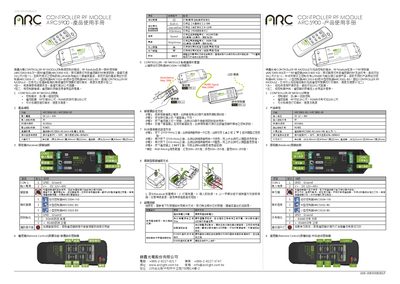
ARC ARC5900 User Manual
The ARC5900 RF Module consists of a receiver (ARC5900‑BO) and a remote control (ARC5900‑KO) that communicate via 433 MHz RF and RS485. It supports up to 20 m wireless range and 100 m RS485 distance, allowing control of lighting fixtures, brightness, speed and RGB mixing.
The manual provides detailed specifications, pin assignments, step‑by‑step learning procedures, RGB‑mixing setup, connector installation and a troubleshooting guide for common issues such as power supply problems and RS485 communication failures.
Covers: Features · Specification · Pin Assignment · Learning Key Setting · RGB Mixing Setting · Lock‑type Connector Installation
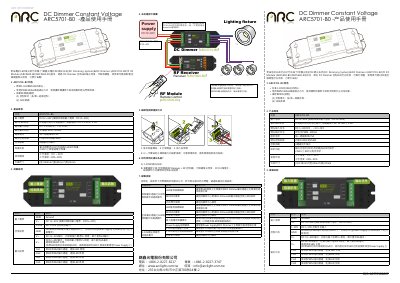
ARC ARC5701-B0 DC Dimmer User Manual
The ARC5701-B0 is a constant‑voltage DC dimmer designed for LED lighting. It accepts a 1‑10 V control signal and offers four independent channels with up to 2.5 A per channel, enabling synchronized or individual brightness control.
The manual details the product’s features, technical specifications, pin assignments, system connection diagram, wiring procedure, usage instructions, and a troubleshooting guide with common symptoms and solutions. This manual is written in Chinese.
Covers: Features · Product Specifications · Pin Assignment · System Connection Diagram · Wiring Instructions · How to Use the Dimming System
ARC ARC5300-B0 USB-to-RS485 Converter User Manual
The ARC5300-B0 is a USB‑to‑RS485 converter designed for use with ARC’s MINI Controller, Multi‑Channel Converter, and DMX Booster product lines. It uses an FTDI chipset and supports USB 1.1 with a minimum data rate of 3 Mbps, offering half‑duplex multi‑drop communication.
The manual details the required driver installation (both USB and COM‑port drivers), hardware connection diagrams (including pin assignments and LED status indicators), and verification steps through the Windows Device Manager. It also lists compatible ARC products that should be paired with the converter. This manual is written in Chinese.
Covers: Associated Products · Specification · Installation · LED Indication · Pin Assignments · Hardware Connection
Latest ARC manuals
ARC 3000 PRO WELD Operation and Maintenance Manual
Service Manual 24 pages · 2.8 MB · ENThe ARC 3000 PRO WELD manual provides safety guidelines, setup instructions, wiring details, and troubleshooting for the stud welding power supply.
ARC 2011_06_Dust_Networks_ARC_View
Dust Networks has dominated the field of wireless sensor networking (WSN) technology in industrial applications. Last month, Dust announced a new product line that preserves key features of the company’s industrial products, but targets both commercial and industrial applications to extend its market leadership beyond the industrial space.
ARC ARC5900 User Manual
User Manual 2 pages · 2.5 MB · ENUser manual for the ARC5900 RF controller module, covering features, specifications, wiring and troubleshooting.
ARC RF MODULE ARC5600 products Manual
ARC ARC5701-B0 DC Dimmer User Manual
User Manual 2 pages · 1.4 MB · ZHThe ARC5701-B0 DC Dimmer User Manual provides specifications, wiring instructions, operation steps, and troubleshooting for the constant‑voltage LED dimming…
ARC ARC5300-B0 USB-to-RS485 Converter User Manual
User Manual 2 pages · 2 MB · ZHThe ARC ARC5300-B0 USB-to-RS485 Converter User Manual provides specifications, installation steps, LED indicators, and pin assignments for proper operation.
Which document do I need?
Service Manual
Disassembly, diagnostics and part numbers, for repair.
User Manual
Day-to-day operation, settings and troubleshooting. Start here if the product is already set up.
Questions answered in ARC manuals
What is the warranty coverage for the ARC 3000 PRO WELD?
All electrical and mechanical components are covered for 1 year, while the printed circuit boards are covered for 3 years.
What safety precautions must be observed when operating the welder?
Operators must treat electricity with respect, disconnect power before maintenance, ensure proper grounding, avoid welding in rain or near flammable materials, and wear protective eye shields and clothing.
What power supply voltage does the ARC5900 accept?
It operates on a DC input of 12 V to 40 V.
From: ARC ARC5900 User Manual
How many channels does the ARC5701-B0 dimmer provide?
The dimmer provides four independent channels.
What is the maximum output current per channel?
Each channel can deliver up to 2.5 A of current.