
DocuPrint C4350 is a color laser printer with powerful functions and excellent printing quality, providing a complete corporate intranet printing and binding solution.
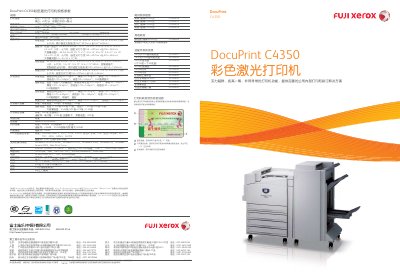
The Fuji Xerox C4350 is a color laser printer offering up to 35 ppm color and 45 ppm black‑white output with fast first‑page times of 9.7 s (color) and 6.9 s (black‑white). It supports a wide range of media sizes and types, including A3, B4, A4, custom sizes, and various paper weights.
The printer includes multiple connectivity options such as Ethernet 100BASE‑TX/10BASE‑TX, USB 1.1/2.0, parallel port, and supports network protocols like IPP, SMB, and Citrix Metaframe. Optional accessories include additional paper trays, a built‑in hard drive, and a high‑capacity stapler for finishing. This manual is written in Chinese.
| Maximum monthly print volume | 150,000 pages |
|---|---|
| Resolution (standard) | 600 dpi × 600 dpi |
| Resolution (high) | 1200 dpi × 1200 dpi |
| Processor | PowerPC G3‑600 MHz |
| Memory (standard) | 256 MB |
| Maximum memory | 768 MB |
| Dimensions (W × D × H) | 632 mm × 717 mm × 493 mm |
| Weight | 91 kg |
The printer can handle up to 150,000 pages per month.
It supports TCP/IP, IPP, SMB, Port9100, and Citrix Metaframe.
Yes, it includes a confidential printing function to protect sensitive documents.