
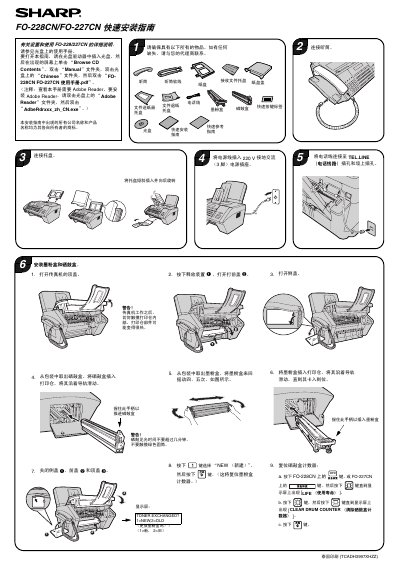
This guide provides step-by-step instructions for installing and configuring the Sharp FO-228CN and FO-227CN fax machines. It covers connecting power and telephone lines, installing toner and drum units, resetting counters, setting up network connections, and configuring email settings via the Web interface. The guide assumes the user has the required components and references the main user manual for additional details. This manual is written in Chinese.
Connect the fax machine to the network using a 10Base-T/100Base-TX straight-through Ethernet cable. Plug one end into the fax machine’s LAN port and the other into a switch or hub’s LAN port.
Press the key on the FO-228CN or the key on the FO-227CN, then press [区] until the display shows [NETWORK INFORMATION]. Press [四] to view the IP address.
Unplug and reinsert the Ethernet cable, then restart the DHCP server device. If the issue persists, check the cable type and ensure it is a straight-through cable, not a crossover cable.