
This document describes the process of migrating WebSphere MQ, including planning, preparing, and executing.
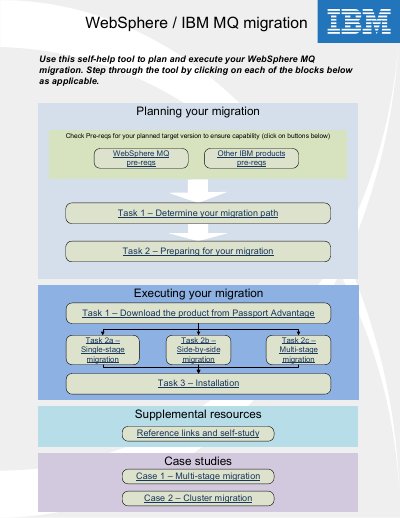
IBM WebSphere MQ Migration Guide is a self-help tool for planning and executing a migration of WebSphere MQ / IBM MQ. It walks through checking prerequisites, determining the migration path, preparing for migration, and executing the migration.
The guide describes single-stage, side-by-side, and multi-stage migration methods, installation steps, and case studies. It states that IBM MQ v9 is the preferred target migration path and notes that migrating a queue manager cannot be undone.
| Support length remaining | V7.1: Short; V7.5: Medium; V8: Long |
|---|---|
| In-place migration architecture | V7.1: 32/64bit; V7.5: 32/64bit; V8: 64bit |
| Single install package | Available for V7.1, V7.5, and V8 |
| File authorization | Available for V7.1, V7.5, and V8 |
Single-stage migration replaces the only installation of IBM MQ on a server with a later release. Until WebSphere MQ version 7.1, it was the only migration scenario.
It installs a new version of IBM MQ alongside an older version on the same server while queue managers continue running on the older version.
No. Once a queue manager has been started after migrating to a new version, it is migrated to the newer version and cannot be reverted.
IBM MQ v9 is described as the preferred target migration path.