
IBM Security Directory Integrator is an integrated development environment and runtime service for general-purpose, multi-format, multi-directional, real-time data movement, synchronization, and transformation.
The guide describes a quick way to install IBM Security Directory Integrator and says it applies to both the General Purpose Edition and the Identity Edition. It notes that the Quick Start Guide is available in other languages on the Quick Start CD.
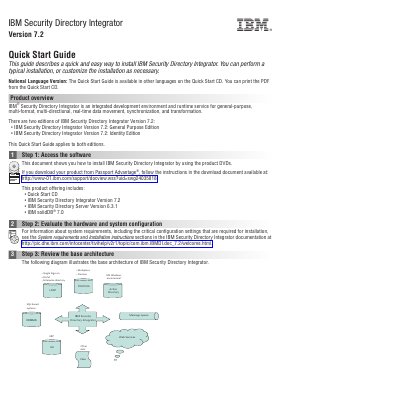
The document lists the product offering: Quick Start CD, IBM Security Directory Integrator Version 7.2, IBM Security Directory Server Version 6.3.1, and IBM solidDB 7.0. It then steps through accessing the software, evaluating hardware and system configuration, reviewing the base architecture, accessing the installer from the Launchpad, and installing with a Typical or Custom installation.
| Editions | General Purpose Edition; Identity Edition |
|---|---|
| Installation types | Typical or Custom |
| Included products | Quick Start CD; IBM Security Directory Integrator Version 7.2; IBM Security Directory Server Version 6.3.1; IBM solidDB 7.0 |
It covers both the General Purpose Edition and the Identity Edition.
It is described as an integrated development environment and runtime service for general-purpose, multi-format, multi-directional, real-time data movement, synchronization, and transformation.
It installs the Server, Configuration Editor, JavaDocs, the Administration and Monitoring Console (in ISC SE), Action Manager, and examples.