
IBM Spectrum Control Advanced Select Edition is a storage analytics and optimization software that provides storage analytics and optimization, policy-based automation, and service-level-based self-service and API provisioning. Additionally, the program offers all features of the IBM Spectrum Control Standard Edition license (capacity planning, performance monitoring, replication management, virtualization and cloud integration, simple provisioning, and automation enablement). The program includes application-aware, snapshot-based protection offered by IBM Spectrum Protect Snapshot (formerly known as IBM Tivoli Storage FlashCopy Manager). The IBM Spectrum Control Advanced Select Edition license includes a license for IBM Copy Services Manager (formerly known as IBM Tivoli Storage Productivity Center for Replication). Copy Services Manager manages 2-site replication, 3-site replication, and advanced copy services. To learn more about how to download and install it, see http://www.ibm.com/support/knowledgecenter/SSESK4. The IBM Spectrum Control Advanced Select Edition license is priced by the number of storage enclosures that it manages.
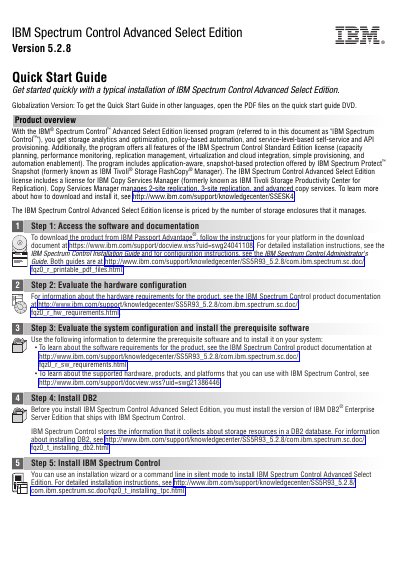
This quick start guide describes a typical installation of IBM Spectrum Control Advanced Select Edition Version 5.2.8, a licensed program for storage analytics and optimization, policy-based automation, and service-level-based self-service and API provisioning. The guide states that the program also offers the features of the IBM Spectrum Control Standard Edition license, includes application-aware, snapshot-based protection from IBM Spectrum Protect Snapshot, and includes a license for IBM Copy Services Manager.
The document walks through seven steps: accessing the software and documentation, evaluating the hardware configuration, evaluating the system configuration and installing prerequisite software, installing DB2, installing IBM Spectrum Control with an installation wizard or a command line in silent mode, optionally installing Cognos Business Intelligence reports, and getting started by starting the GUI, adding resources and configuring alerts. It also notes that the license is priced by the number of storage enclosures that it manages and points to IBM Knowledge Center pages for further detail.
| Product version | 5.2.8 |
|---|---|
| Licensing metric | Priced by the number of storage enclosures managed |
| Prerequisite database | IBM DB2 Enterprise Server Edition that ships with IBM Spectrum Control |
| Included license | IBM Copy Services Manager |
| Optional reporting | IBM Cognos Business Intelligence (BI) reports |
| Installation methods | Installation wizard or command line in silent mode |
You must first install the version of IBM DB2 Enterprise Server Edition that ships with IBM Spectrum Control, because collected storage resource information is stored in a DB2 database.
No. Cognos BI is an optional tool; you can use the reporting features in the IBM Spectrum Control GUI to produce reports without installing it.
The license is priced by the number of storage enclosures that it manages.
You can install it with an installation wizard or with a command line in silent mode.