
Inspiron 14 3000 Series Notebook Quick Start Guide
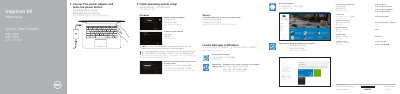
This Dell Quick Start Guide covers initial setup of the Inspiron 14-3459 notebook, including connecting the power adapter, completing operating system setup, connecting to a network, and signing in to a Microsoft account or creating a local account. It also lists Dell applications available in Windows, such as SupportAssist, Dell Backup and Recovery, and Dell Help & Support.
The guide identifies the notebook's features and ports, including USB, HDMI, headset, media-card reader, and power-adapter connections, and provides a table of keyboard shortcut keys for audio, display, wireless, sleep, and Fn-key functions.
| USB 3.0 ports | 1 |
|---|---|
| USB 2.0 ports | 2 |
| HDMI port | 1 |
| Headset port | 1 |
| Media-card reader | 1 |
| Document date | 2015-06 |
Connect the power adapter and press the power button, then follow the on-screen instructions to finish operating system setup.
Enter the wireless network access password when prompted during the network connection step.
The guide lists SupportAssist, Dell Backup and Recovery, and Dell Help & Support.
Use the listed shortcut key for Turn off/on wireless.