
This document describes the setup and operation instructions for Dell computers.
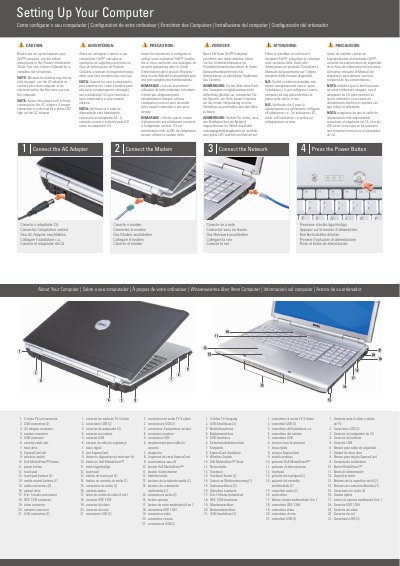
This document provides basic setup and operation instructions for Dell laptops. It guides users through the initial steps of connecting the AC adapter, modem, and network, and powering on the device.
The guide includes a detailed hardware map identifying various ports and buttons, such as USB connectors, the IEEE 1394 connector, and the Dell MediaDirect button.
| Media Card Reader | 8-in-1 |
|---|
Use the AC adapter to connect the computer to an electrical outlet because the battery may not be fully charged.
Because the battery may not be fully charged.
A proper connection is indicated by a green LED light on the AC adapter.
See the safety instructions in the Product Information Guide.