
Dell Bluetooth Keyboard Folio WK415 Quick Start Guide

Dell Bluetooth Keyboard Folio WK415 Quick Start Guide.
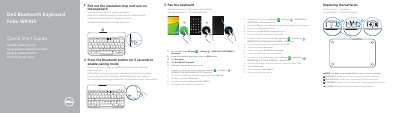

Dell Bluetooth Keyboard Folio WK415 Quick Start Guide - cover page
Brand
DELL
Category
Mouse keyboard
Document type
Quick Start Guide
Language
English
Pages
2
File format
PDF
File size
341 KB
Published
25 November, 2023
Updated
25 November, 2023
Model
WK415
MD5 checksum
3EACCD087CB6053CC0E501C021DC167D

About this manual

The Dell Bluetooth Keyboard Folio WK415 quick start guide shows how to remove the insulation strip, turn on the keyboard, and pair it with a tablet using Bluetooth. It also identifies keyboard parts and shortcut keys.

The guide states that batteries are installed when the keyboard is received and lists Dell support, manuals, and regulatory information.

What's inside

  • Pull out the insulation strip and turn on the keyboard
  • Pair the keyboard
  • Replacing the batteries
  • Shortcut Keys
  • Features
  • Product support and manuals
  • Regulatory and safety
  • Regulatory model and type

Specifications

Regulatory model and typeK07M / K07M001

Frequently asked questions

How do I turn on the keyboard?

Pull out the insulation strip and turn on the keyboard.

How do I pair the keyboard with a tablet?

Press the Bluetooth button for 3 seconds to enable pairing mode, then follow the on-screen instructions on the tablet.

Are batteries included with the keyboard?

Yes, the batteries are installed when you receive the keyboard.

Where can I find product support and manuals?

Product support and manuals are available at dell.com/support.

Download PDF (341 KB)

More DELL Manuals


View all DELL manuals →