
The user manual for the Dell Inspiron 600m laptop.
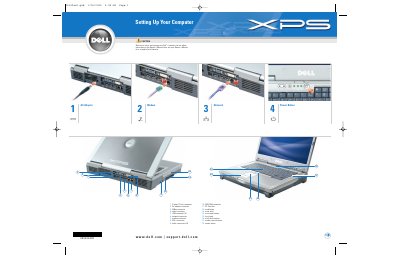
This Dell guide gives basic setup information for an Inspiron laptop. It identifies connectors and controls such as S-video, AC adapter, USB, network, modem, DVI-I, audio, IEEE 1394, PC Card slot, track stick, touch pad, media buttons, and power button.
It also explains how to remove the battery, connect to an optional wireless network, and find help for devices and operating-system use.
| TV-out connector | S-video |
|---|---|
| USB connector | USB |
| Network connector | network |
| Modem connector | modem |
| PC Card slot | PC Card slot |
Slide the battery latch release and lift the battery out of the bay.
Right-click the wireless network connections icon, view available networks, select the network, and click Connect.
See the Owner's Manual for information on setting up devices like printers.
Click Start, then Help and Support, User and system guides, User’s guides, and Dell Inspiron Help.