
The Dell monitor user guide introduces the features and functions of the monitor.
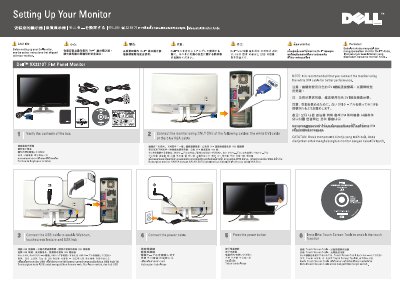
This Dell SX2210T Flat Panel Monitor setup guide explains how to set up the monitor. It says to verify the box contents and connect the monitor using only one of the white DVI cable or the blue VGA cable. It also notes that the white DVI cable is recommended for better performance.
The guide lists the monitor parts, including the power button, function controls, webcam, microphones, and cable management slot. It says to connect the USB cable to enable the webcam, touchscreen feature, and USB hub function, and to install the Touch Screen Tools to enable touch. For more information, it directs users to the User Guide on the Drivers and Documentation media shipped with the monitor.
| Supported input cables | DVI or VGA |
|---|---|
| Recommended input cable | White DVI cable |
| Touchscreen enablement | Install Touch Screen Tools |
Use only one of the white DVI cable or the blue VGA cable.
The white DVI cable is recommended.
Install the Touch Screen Tools.
See the User Guide in the Drivers and Documentation media shipped with the monitor.