
This document is a quick start guide for Windows.
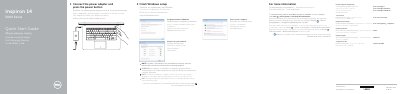
This is the Dell Quick Start Guide for the Inspiron 14 5000 Series laptop, computer model Inspiron 14-5459 (regulatory model P64G, regulatory type P64G004). The text is printed in several languages, including English, Greek, Portuguese, Turkish and Hebrew. It walks through the first steps of setting up the computer: connecting the power adapter and pressing the power button, finishing Windows setup, connecting to a network, setting a Windows password and protecting the computer.
The guide also lists the computer's features with numbered callouts, from the microphones, camera, ports and optical drive to the battery and service tag label, and gives a table of shortcut keys for audio, display, brightness, wireless, sleep and keyboard backlight. Support and regulatory links to Dell.com/support, Dell.com/support/manuals, Dell.com/contactdell and Dell.com/regulatory_compliance are included.
| Regulatory type | P64G004 |
|---|---|
| USB 3.0 port | 1 |
| USB 2.0 ports | 2 |
| Display port | HDMI port |
Connect to your network, and if the network is secured, enter the wireless network password when prompted.
Dell lists Dell.com/support for product support and Dell.com/support/manuals for manuals.
The guide's setup steps include setting up a password for Windows.
Dell gives the address Dell.com/contactdell for contacting the company.