
The Dell Latitude 3460 Wyse TC Quick Start Guide provides information on how to connect the power adapter, turn on the computer, and access product support and manuals.
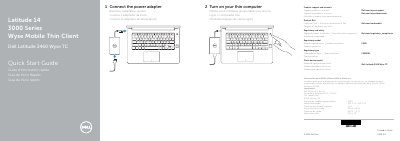
The Dell Latitude 3460 Wyse TC is a mobile thin client identified in the document as part of the Latitude 14 3000 Series Wyse Mobile Thin Client line. This quick start guide gives the two startup steps — connect the power adapter and turn on your thin computer — plus links to product support, manuals, contact and regulatory information. The same steps and labels are printed in English, French, Portuguese and Spanish.
A features page numbers and names the parts of the thin client: camera, camera-status light, microphone, power button, security-cable slot, VGA port, USB 2.0 port, memory-card reader, fingerprint reader, battery-status, hard-drive activity and power-status lights, speakers, touchpad, headset port, two USB 3.0 ports, HDMI port, network port, power port, battery, battery release latch and service-tag label. The regulatory information lists regulatory model P63G, regulatory type P63G001 and client device model Dell Latitude 3460 Wyse TC, with input of 100 V AC–240 V AC at 50 Hz–60 Hz and a maximum of 2.5 A, and output of 19.5 V DC at 4.62 A–6.7 A.
| Regulatory model | P63G |
|---|---|
| Regulatory type | P63G001 |
| Input voltage | 100 V AC–240 V AC |
| Input current (maximum) | 2.5 A |
| Input frequency | 50 Hz–60 Hz |
| Output voltage | 19.5 V DC |
| Output current | 4.62 A – 6.7 A |
Connect the power adapter and then turn on your thin computer, as shown in the two numbered startup steps.
The guide points to Dell.com/wyse/support for product support and manuals, and to Dell.com/wyse/downloads for downloads.
The regulatory model is P63G, with regulatory type P63G001.
The features list shows one USB 2.0 port and two USB 3.0 ports.