
Dell applications are located in Windows 8.1 and can help you register your device, back up and restore data, protect your computer from malware, and check and update your computer.
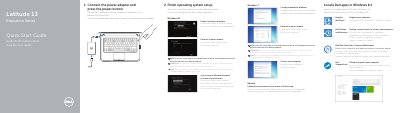
This Dell Education Series Latitude 13 3350 Quick Start Guide covers locating Dell apps in Windows 8.1, registering the computer, and using Dell Backup and Recovery, Dell Data Protection Protected Workspace, and Dell SupportAssist. It also shows initial setup steps such as connecting the power adapter, finishing operating system setup, and connecting to a network.
The guide lists computer features including ports, status lights, touchpad, speakers, camera, microphone, and card reader. It ends with support links and regulatory information, including the P47G regulatory model and NOM input/output ratings.
| Computer model | Latitude 3350 |
|---|---|
| Regulatory model | P47G |
| Input voltage | 100 V AC–240 V AC |
| Input current (maximum) | 1.7 A / 2.5 A |
| Input frequency | 50 Hz–60 Hz |
| Output current | 3.34 A / 4.62 A |
| Output voltage | 19.5 +/- 1 V DC |
The guide lists Register My Device, Dell Backup and Recovery, Dell Data Protection Protected Workspace, and Dell SupportAssist.
Enter the wireless network password when prompted.
Dell provides support at Dell.com/support and manuals at Dell.com/support/manuals.
The regulatory model is P47G.