
Dell Latitude 15 3000 Series Quick Start Guide

The Latitude 15 3000 Series Quick Start Guide provides information on how to set up and use your Latitude 15 3000 Series laptop.
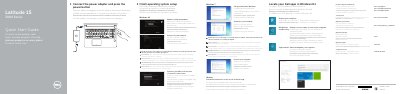

Dell Latitude 15 3000 Series Quick Start Guide - cover page
Brand
DELL
Category
Laptops
Document type
Quick Start Guide
Language
English
Pages
2
File format
PDF
File size
1.2 MB
Published
25 November, 2023
Updated
25 November, 2023
MD5 checksum
D52ABEAFA83EF100F28C8037554B340F

About this manual

This guide helps you set up your Dell Latitude 15 3000 Series laptop. Connect the power adapter, finish the operating system setup, enable security and updates, and connect to your network. The guide also lists hardware features like camera, microphone, USB ports, and battery status lights.

For more detailed instructions, refer to the Owner’s Manual at dell.com/support/manuals.

What's inside

  • Connect the power adapter
  • Finish operating system setup
  • Enable security and updates
  • Connect to your network
  • Features
  • SupportAssist
  • Register your computer
  • Dell Backup and Recovery

Frequently asked questions

How do I connect to my network?

Connect to your network by following the on-screen instructions. If connecting to a secured wireless network, enter the password when prompted.

What should I do first to start the computer?

Connect the power adapter and press the power button.

What should I do when connecting to a secured wireless network?

Enter the password for the wireless network access when prompted.

How many USB 3.0 connectors does the computer have?

It has 2 USB 3.0 connectors.

Download PDF (1.2 MB)

More DELL Manuals


View all DELL manuals →