
The Dell Latitude 14 7000 Series Notebook Quick Start Guide covers connecting the power adapter and pressing the power button, locating Dell apps in Windows 8.1, registering your computer, Dell Backup and Recovery, Dell Data Protection | Protected Workspace, and Dell SupportAssist.
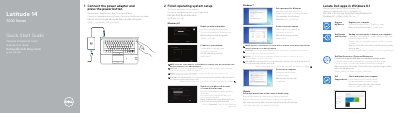
This quick start guide helps set up the Dell Latitude 14 7000 Series notebook, including connecting power, completing operating system setup, enabling security and updates, connecting to a network, and signing in.
It also identifies notebook features and ports, lists optional components, and provides product support, manual, regulatory, and service-tag information.
| USB 3.0 connectors | 2 |
|---|---|
| SIM port | Optional |
| Contactless smart-card reader | Optional |
| Smart card reader | Optional |
| Track stick/track pad | Optional |
Connect the power adapter and press the power button, then follow the on-screen instructions to finish setup.
Product support and manuals are available at Dell.com/support and Dell.com/support/manuals.
The guide lists the computer model as Latitude 14-7470/E7470.
The SIM port, contactless smart-card reader, fingerprint reader, smart card reader, and track stick/track pad are listed as optional.