
The Dell Latitude 14 7000 Series Quick Start Guide provides information on how to use the notebook.
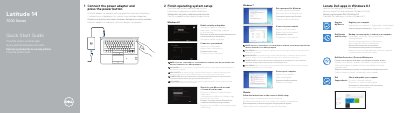
This guide helps users connect the power adapter, press the power button, and finish operating system setup for Windows 8.1, Windows 7, or Ubuntu. It also lists the notebook's external features and ports, including USB 3.0 connectors, HDMI, Mini DisplayPort, and optional readers.
The guide points to Dell support and manuals, regulatory information, and the computer model Latitude 14-7470/E7470. It includes notes for connecting to a secured wireless network during setup.
| USB 3.0 connectors | 2 |
|---|---|
| SIM port | Optional |
| Contactless smart-card reader | Optional |
| Fingerprint reader | Optional |
| Smart card reader | Optional |
| Track stick/track pad | Optional |
Follow the instructions on the screen to finish setup; for Windows 8.1, enable security and updates, connect to the network, and sign in or create an account.
Enter the password for the wireless network access when prompted.
It has two USB 3.0 connectors, plus one USB 3.0 connector with PowerShare.