
The Dell Latitude 14 7000 Series Quick Start Guide describes how to connect the power adapter, turn on the computer, and locate Dell applications in Windows 8.1.
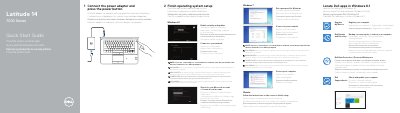
This multilingual Quick Start Guide helps users set up the Dell Latitude 14-7470/E7470 laptop. It covers connecting the power adapter, pressing the power button, locating Dell apps in Windows 8.1, registering the device, and using Dell Backup and Recovery, Dell Data Protection, and Dell SupportAssist.
The guide also describes finishing operating system setup for Windows 8.1, Windows 7, or Ubuntu, enabling security and updates, connecting to a network, and signing into a Microsoft account. A features diagram identifies 26 system parts, including USB 3.0 connectors, HDMI, Mini DisplayPort, and the power button.
| Computer model | Latitude 14-7470/E7470 |
|---|---|
| Regulatory model | P61G |
| USB 3.0 connectors | 2 |
Connect the power adapter and press the power button.
The computer model is Latitude 14-7470/E7470.
Support and manuals are available at Dell.com/support, Dell.com/support/manuals, and Dell.com/support/windows.