
The Dell Inspiron 5720 All-in-One Quick Start Guide provides information on how to set up and use the Dell Inspiron 5720 All-in-One.
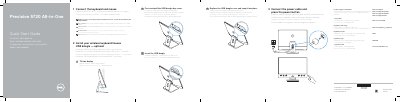
This quick start guide for the Dell Precision 5720 All-in-One shows how to connect the power cable, press the power button, connect a keyboard and mouse, and install an optional wireless keyboard/mouse USB dongle. It also covers tilting the display and opening the USB dongle-bay cover.
The guide lists the computer's features and ports, including USB 3.0 with PowerShare, Thunderbolt 3 (USB Type-C), network, DisplayPort, HDMI, line-out, headset, and SD card slot. It also covers operating system setup for Windows 7 and Ubuntu, Dell support links, and regulatory and safety information.
| Computer model | Precision 5720 All-in-One |
|---|---|
| Regulatory model | W13C |
| Regulatory type | W13C001 |
| USB 3.0 port | USB 3.0 port with PowerShare |
| Thunderbolt ports | Thunderbolt 3 (USB Type-C) ports |
| SD card slot | SD card slot |
| Network port | Network port |
Install the optional wireless keyboard/mouse USB dongle. If you are connecting a wireless keyboard or mouse, see the documentation that shipped with it.
Follow the instructions on the screen; for Windows 7, set a password and connect to your network.
Enter the password for the wireless network access when prompted.
Dell lists Dell.com/support and Dell.com/support/manuals.