
Dell UltraSharp UP3218K Color Calibration Solution User Guide

The Dell UltraSharp Color Calibration Solution User Guide. This solution enables you to get the best, most accurate color possible with your Dell UltraSharp UP3218K display when used with an X-Rite i1Display Pro Colorimeter.
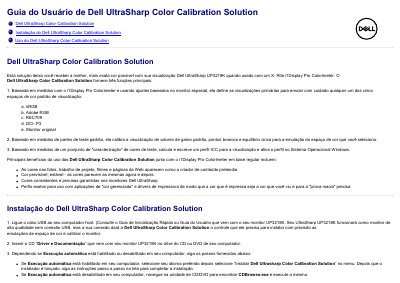

Dell UltraSharp UP3218K Color Calibration Solution User Guide - cover page
Brand
DELL
Category
Monitors
Document type
User Manual
Language
Portuguese
Pages
2
File format
PDF
File size
203 KB
Published
25 November, 2023
Updated
25 November, 2023
MD5 checksum
7294F12C9DD8790A11BB5A78C88AB382

About this manual

This document is the user guide for the Dell UltraSharp Color Calibration Solution software. It is designed to work specifically with the Dell UltraSharp UP3218K monitor and an X-Rite i1Display Pro Colorimeter to ensure accurate color reproduction. The solution allows users to emulate five standard color spaces: sRGB, Adobe RGB, REC709, DCI-P3, and a custom space based on measurements. This manual is written in Portuguese.

What's inside

  • Instalação do Dell UltraSharp Color Calibration Solution
  • Uso do Dell UltraSharp Color Calibration Solution
  • Principais benefícios
  • Configuração do Colorimeter
  • Processo de calibração

Frequently asked questions

What monitor is this color calibration solution for?

Dell UltraSharp UP3218K.

What colorimeter is required to use it?

An X-Rite i1Display Pro Colorimeter.

Which standard color spaces can it emulate?

sRGB, Adobe RGB, REC709, and DCI-P3.

What should not be changed during calibration?

Color settings in the on-screen display (OSD).

Download PDF (203 KB)

More DELL Manuals


View all DELL manuals →