
Dell Wyse Zero Client Wyse 1010 Quick Start Guide
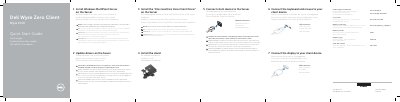
This guide explains how to set up the Dell Wyse 1010 zero client for use with Windows MultiPoint Server. It covers installing the stand, connecting the display, keyboard, mouse, and client device to the server, and installing the 10xx (and Exx) Zero Client Driver.
The document also lists the client device features and ports, including the network, VGA, audio, and USB connections, and explains how to turn on the device, mount it with VESA hardware, and configure it in MultiPoint Manager.
| Power adapter input | +5V DC |
|---|---|
| Network port | 10/100/1000 Base-T |
| USB ports | USB 2.0 port (4x) |
| Display connector | VGA port |
| Audio connections | Microphone in jack and audio out jack |
| Regulatory model | N05D |
| Regulatory type | N05D001 |
The client device is ready to use when its activity light goes off.
Driver software can be found at www.dell.com/wyse/downloads.
No. All clients must be either USB-connected zero clients or Ethernet-connected zero clients.
Go to Start > All Programs and click the MultiPoint Manager window.