
Dell Display Manager is a Microsoft Windows application used to manage a monitor or a group of monitors. It allows manual adjustment of the displayed image, assignment of automatic settings, energy management, window organization, image rotation, and other features.
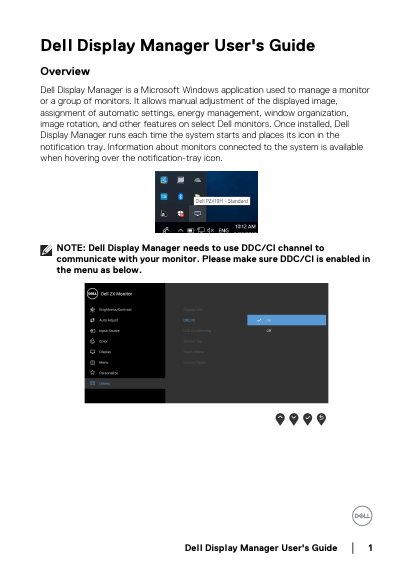
Dell Display Manager is a Windows application that lets users adjust display settings manually or automatically. It supports features like brightness control, preset mode assignment, window organization, and energy management. The software runs at startup and can be accessed via a tray icon. It works only with Dell monitors and requires DDC/CI communication to function.
The guide covers using the Quick Settings dialog, assigning modes to applications, organizing windows with Easy Arrange (on P2419H/P2719H), managing video inputs, restoring window layouts, and energy-saving options. Troubleshooting steps are provided for compatibility issues, including checking DDC/CI settings, display drivers, and cable connections.
It is a Microsoft Windows application used to manage a monitor or group of monitors, allowing manual adjustment of image, automatic settings, energy management, window organization, and image rotation.
It only works with Dell branded monitors. It does not support monitors from other manufacturers.
Make sure DDC/CI is enabled in the monitor’s menu, as DDM needs this channel to communicate with the monitor.