
This document describes the setup and usage instructions for Dell computers.
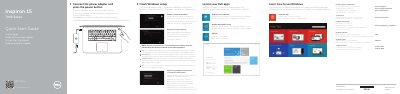
This Dell Quick Start Guide covers initial setup for the Inspiron 15 7000 Series computers, models 7547 and 7548. It describes finishing Windows setup, locating Dell apps, connecting the power adapter, registering the computer, enabling security and updates, connecting to a network, and signing in with a Microsoft or local account.
The guide also lists the computer features, including camera and microphones, power-adapter, HDMI, USB 3.0 with PowerShare, headset, USB 2.0, and media-card reader ports, the security-cable slot, power button, and status lights. A shortcut-key list covers audio, playback, display, brightness, wireless, and system functions.
| Computer model | Inspiron 7547 / Inspiron 7548 |
|---|---|
| Regulatory model | P41F |
| Regulatory type | P41F001 |
| USB ports | Two USB 3.0 ports (one with PowerShare) and one USB 2.0 port |
| Video port | HDMI port |
| Media-card reader | Media-card reader |
| Security | Security-cable slot |
| Status indicators | Power, battery, and hard-drive status light |
Connect the power adapter and press the power button.
Enter the password for wireless network access when prompted.
The shortcut key labeled "Switch to external display" switches to an external monitor.
See Specifications at dell.com/support.