
OptiPlex 3050 Small Form Factor Quick Start Guide
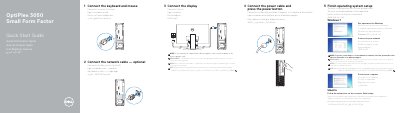
This quick start guide covers initial setup of the Dell OptiPlex 3050 Small Form Factor computer, including connecting the keyboard, mouse, network cable, display, and power, then finishing operating system setup for Windows 7 or Ubuntu.
It also identifies the computer's ports and features, lists optional components such as the optical drive, memory card reader, and VGA port, and provides Dell support, manual, regulatory, and contact links.
| Regulatory model | D11S |
|---|---|
| Regulatory type | D11S002 |
| Computer model | OptiPlex 3050 SFF |
| Optical drive | Optional |
| Memory card reader | Optional |
| VGA port | Optional |
Product support and manuals are available through Dell.com/support and Dell.com/support/manuals.
Connect the display to the discrete graphics card.
Regulatory and safety information is available at Dell.com/regulatory_compliance.