
Manual for Dell™ computer.
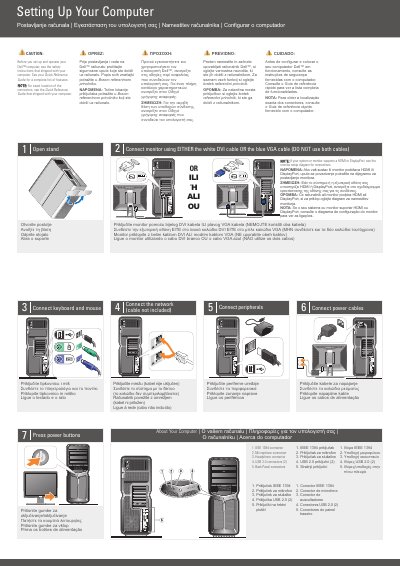
This manual provides instructions for setting up your Dell XPS 730/730X computer. It covers connecting the monitor using DVI or VGA cables, attaching peripherals, and setting up a wireless network if desired. Safety instructions and quick reference guide information are also included.
The document is multilingual, offering guidance in multiple languages including English, Croatian, Greek, Slovenian, and Portuguese. It directs users to the Quick Reference Guide and support.dell.com for additional help.
Connect the monitor using either the white DVI cable or the blue VGA cable (do not use both cables).
See your Quick Reference Guide for more information. If you don’t have a printed copy, go to support.dell.com.