
Dell Vostro 3252 Quick Start Guide

The Dell Vostro 3252 Quick Start Guide provides information on how to set up and use the Dell Vostro 3252 laptop.
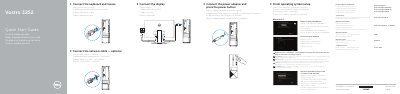

Dell Vostro 3252 Quick Start Guide - cover page
Brand
DELL
Category
Desktops
Document type
Quick Start Guide
Language
CS
Pages
2
File format
PDF
File size
1.3 MB
Published
24 November, 2023
Updated
24 November, 2023
MD5 checksum
117A96E225B4191B3BECF975CBFE8C2B

About this manual

This guide helps you set up your Dell Vostro 3252 computer quickly. It covers connecting peripherals, setting up your network, creating an account, and completing OS setup. It also includes a diagram of the front panel ports and features for easy reference. This manual is written in Czech.

What's inside

  • Finish operating system setup
  • Enable security and updates
  • Connect to your network
  • Sign in to your Microsoft account or create a local account
  • Connect the keyboard and mouse
  • Connect the power adapter and press the power button
  • Connect the display
  • Features
  • Set up password for Windows
  • Protect your computer

Frequently asked questions

How do you start the computer?

Connect the power adapter and press the power button.

What should you enter when connecting to a secured wireless network?

Enter the password for the wireless network access when prompted.

What can Dell Backup and Recovery do?

It can backup, recover, repair, or restore your computer.

Download PDF (1.3 MB)

More DELL Manuals


View all DELL manuals →