
The Dell XPS 13 laptop quick start guide includes steps such as connecting the power adapter, pressing the power button, and finishing the operating system setup.
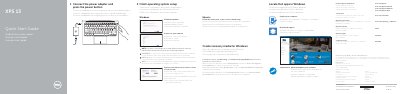
This Dell XPS 13 Quick Start Guide explains how to connect the power adapter, press the power button, and complete the initial operating system setup. It also covers registering the computer and finding Dell Help & Support resources.
The guide provides steps for Windows and Ubuntu setup, network connection, Microsoft account sign-in, and creating recovery media. It lists the computer's features and shortcut keys with corresponding illustrations.
| Input voltage | 100 V CA–240 V CA |
|---|---|
| Frequency | 50 Hz–60 Hz |
| Input current | 1,30 A |
| Output voltage | 19,50 V CC |
| Output current | 2,31 A |
Connect the power adapter and press the power button.
XPS 13.
In Windows search, type Recovery, click Create a recovery media, and follow the instructions on the screen.
Visit Dell.com/support, Dell.com/support/manuals, Dell.com/support/windows, or Dell.com/support/linux.