
Quick Start Guide for Dell tablet.
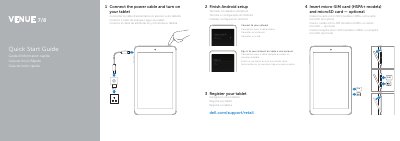
This Quick Start Guide provides setup instructions for the Dell Venue 7 and Venue 8 tablets. It covers inserting an optional micro-SIM card and microSD card, connecting the power cable, turning on the tablet, finishing Android setup, registering the tablet, signing in to an account, and connecting to a network.
The document also identifies the tablet's external parts, lists regulatory model numbers T01C and T02D, and includes Dell support, contact, and regulatory compliance website links.
| Regulatory model | Venue 7: T01C/T01C001, T01C002; Venue 8: T02D/T02D001, T01D002 |
|---|---|
| Input voltage | 100 V AC to 240 V AC |
| Input current maximum | 0.3 A |
| Output voltage | 5.0 V DC |
Insert the optional micro-SIM card (HSPA+ models) and microSD card.
Go to dell.com/support or dell.com/support/manuals.
Venue 7 is T01C/T01C001/T01C002 and Venue 8 is T02D/T02D001/T01D002.
Connect the power cable and turn on your tablet.