
Dell Vostro 3478 Quick Start Guide

The Dell Vostro 3478 Quick Start Guide introduces the features and specifications of the product.
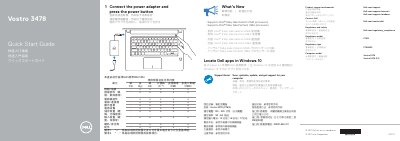

Dell Vostro 3478 Quick Start Guide - cover page
Brand
DELL
Category
Laptops
Document type
Quick Start Guide
Language
English
Pages
2
File format
PDF
File size
236 KB
Published
24 November, 2023
Updated
24 November, 2023
MD5 checksum
BB018BA602DF0142892D5DDDD6976B5C

About this manual

This document serves as a Quick Start Guide for the Dell Vostro 3478 laptop. It provides initial setup instructions, including connecting the power adapter and pressing the power button. The guide also lists the product support website and contact information for Dell.

What's inside

  • Connect the power adapter
  • Product support and manuals
  • Regulatory and safety
  • What's New
  • Locate Dell apps in Windows 10
  • Features

Specifications

Processor SupportIntel Kaby Lake Celeron/Pentium UMA
Rated Voltage100 - 240 Volts AC
Rated Frequency50 - 60 Hz

Frequently asked questions

How do I start the Dell Vostro 3478?

Connect the power adapter and press the power button.

Where can I find Dell support and manuals?

Visit Dell.com/support or Dell.com/support/manuals.

Download PDF (236 KB)

More DELL Manuals


View all DELL manuals →