
The Dell™ Axim™ X50 is a powerful handheld computer featuring a touch screen, microphone, infrared sensor, power button, wireless indicator, reset stylus (extended), CompactFlash card slot, Secure Digital memory card slot, audio connector, lanyard hook, lock button, reset button, wireless on/off button, record button, battery cover, battery cover lock, cradle/sync cable connector, Home button, Inbox button, navigator button, Contacts button, and Calendar button.
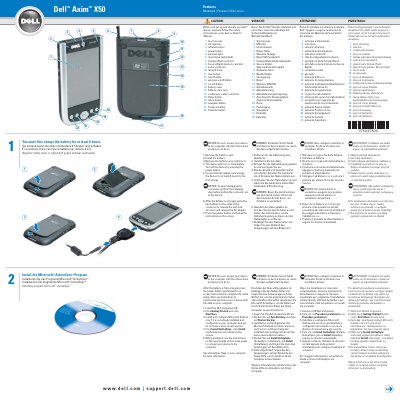
This document lists the physical features of the Dell Axim X50 handheld device, such as the touchscreen, microphone, infrared sensor, and various buttons. It provides a numbered list of these components in English, German, Italian, and Polish.
You must charge the device for at least 8 hours for the first charge.
You must use Microsoft ActiveSync to synchronize the data on your device with the data on your computer.
You must press the two buttons on the sides of the connector to release the self-lock structure before pulling the connector out.