
Dell Precision Tower 7810 Quick Start Guide

The Dell Precision Tower 7810 Quick Start Guide provides information on how to set up and use the Dell Precision Tower 7810 workstation.
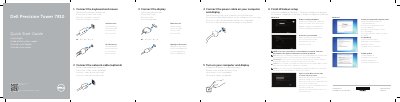

Dell Precision Tower 7810 Quick Start Guide - cover page
Brand
DELL
Category
Desktops
Document type
Quick Start Guide
Language
English
Pages
2
File format
PDF
File size
451 KB
Published
22 November, 2023
Updated
22 November, 2023
MD5 checksum
C5DB544BF95512F728448191F6259431

About this manual

This document serves as a quick start guide for the Dell Precision Tower 7810 workstation. It provides instructions for finishing the Windows setup, enabling security updates, and connecting to a network. The guide includes specific steps for connecting peripherals such as keyboards, mice, and displays via USB, PS/2, DVI, or DisplayPort connectors.

What's inside

  • Finish Windows setup
  • Connect to your network
  • Sign in to your Microsoft account
  • Connect the keyboard and mouse
  • Connect the network cable
  • Connect the display
  • Connect the power cable
  • Turn on your computer
  • Create user name and computer name
  • Enable updates

Specifications

Regulatory modelD01T
Regulatory typeD01T005
Input voltage100 V CA–240 V CA
Input current (max)6 A
Input frequency50 Hz–60 Hz

Frequently asked questions

What operating systems are supported for setup?

The guide supports setting up Windows 8 and Windows 7.

Where can I find product support and manuals?

Support and manuals are available at dell.com/support.

Download PDF (451 KB)

More DELL Manuals


View all DELL manuals →