
Dell PowerEdge C6320p Getting Started Guide

The Dell PowerEdge C6320p Getting Started Guide introduces the features and characteristics of the product.
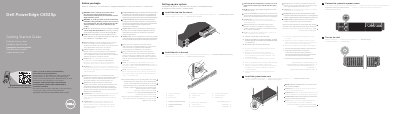

Dell PowerEdge C6320p Getting Started Guide - cover page
Brand
DELL
Category
Servers Computer
Document type
Quick Start Guide
Language
English
Pages
2
File format
PDF
File size
551 KB
Published
22 November, 2023
Updated
22 November, 2023
MD5 checksum
A4F01682E2F5067C5DCD00DD9CC03453

About this manual

This guide covers initial setup of the Dell PowerEdge C6320p, including rack installation, sled and rail installation, power connection, and turning on the sled.

It also notes safety requirements, documentation availability, USB port support, and rack airflow and grounding requirements.

What's inside

  • Before you begin
  • Setting up your system
  • Install the system into a rack
  • Install the sled into the chassis
  • Install the rails in the rack
  • Connect the system to a power source
  • Turn on the sled

Specifications

USB portsOne USB port and one micro USB port
Rack groundingThird wire safety grounding conductor required

Frequently asked questions

How many USB ports does the Dell PowerEdge C6320p support?

The system supports only one USB port and a micro USB port.

Where can I find the documentation set for this system?

The documentation set for your system is available at Dell.com/poweredgemanuals.

What should I do before setting up the system?

Follow the safety instructions included in the Safety, Environmental, and Regulatory Information document shipped with the system.

Download PDF (551 KB)

More DELL Manuals


View all DELL manuals →