
A setup guide for a Dell™ computer.
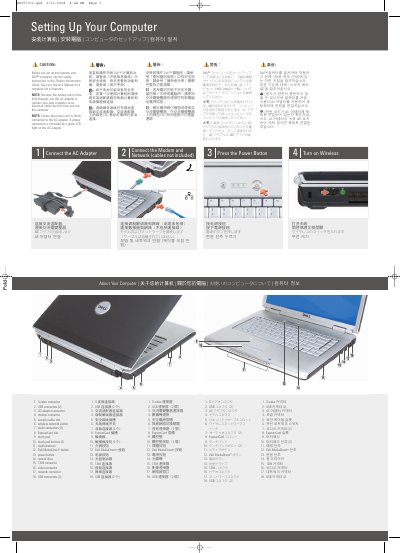
This guide is for Dell Inspiron 1520/1521 notebook computers. It explains how to connect the AC adapter, connect modem and network cables, press the power button, and turn on wireless, and it identifies the computer's connectors and controls.
The guide notes that the battery may not be fully charged, so the AC adapter should be used the first time. A proper AC adapter connection is indicated by a green LED light. Modem and network cables are not included, wireless networking is optional, and the Owner's Manual and support information are available through the Documentation and Support icon or support.dell.com.
| USB connectors | 2 |
|---|---|
| Audio connectors | 2 |
| Touch pad buttons | 2 |
| Wireless network | Optional |
| Modem and network cables | Not included |
| AC adapter connection indicator | Green LED light |
A green LED light on the AC adapter indicates a proper connection.
No, modem and network cables are not included.
Wireless networking is optional.
Click the Documentation and Support icon on the desktop or go to support.dell.com.