
The Dell Latitude 7290 Quick Start Guide introduces the features and specifications of the product.
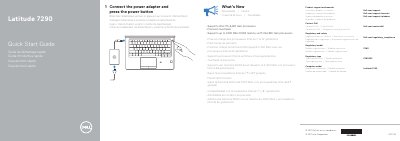
This quick start guide gives multilingual steps for connecting the power adapter and pressing the power button, along with links for product support, manuals, regulatory information, and safety information.
It also lists the computer's features, including optional camera, microphones, security cable slot, network port, USB 3.1 Gen 1 ports, microSD slot, optional micro-SIM slot, headset port, optional fingerprint reader, optional NFC sensor, status light, speakers, touchpad, optional smart card reader, HDMI port, DisplayPort over USB Type-C, power connector port, and service tag label. The guide notes support for Intel 7th and 8th generation processors, a precision touchpad, and up to 2400 MHz DDR4 memory with Intel 8th generation processors.
| Processor support | Intel 7th and 8th generation processors |
|---|---|
| Touchpad | Precision touchpad |
| Memory support | Up to 2400 MHz DDR4 memory with Intel 8th generation processors |
Connect the power adapter and press the power button.
It supports Intel 7th and 8th generation processors.
It supports up to 2400 MHz DDR4 memory with Intel 8th generation processors.