
Dell Inspiron 15 3000 Series (15-3552) Notebook Quick Start Guide

Dell Inspiron 15 3000 Series Notebook Quick Start Guide.
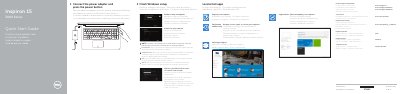

Dell Inspiron 15 3000 Series (15-3552) Notebook Quick Start Guide - cover page
Brand
DELL
Category
Laptops
Document type
Quick Start Guide
Language
English
Pages
2
File format
PDF
File size
577 KB
Published
22 November, 2023
Updated
22 November, 2023
MD5 checksum
211FFE529AFBC687D26DB44956EBBB93

About this manual

This multilingual quick start guide shows how to connect the power adapter, start the computer, and complete Windows setup. It also identifies the notebook's external features and shortcut keys.

Support, manuals, regulatory information, and service details are referenced through Dell support links and labels on the computer.

What's inside

  • Connect the power adapter and press the power button
  • Finish Windows setup
  • Product support and manuals
  • Regulatory and safety
  • Features
  • Shortcut keys

Specifications

USB 3.0 ports1
USB 2.0 ports2

Frequently asked questions

Where can I find product support and manuals?

Dell lists product support and manuals at Dell.com/support and Dell.com/support/manuals.

What should I do after connecting power?

Press the power button, then finish Windows setup.

Download PDF (577 KB)

More DELL Manuals


View all DELL manuals →