
The Dell Inspiron 15-3552 laptop is powered by an Intel Core i5-6200U processor, 8GB of memory, a 1TB hard drive, a 15.6-inch display, and weighs 2.20 kilograms.
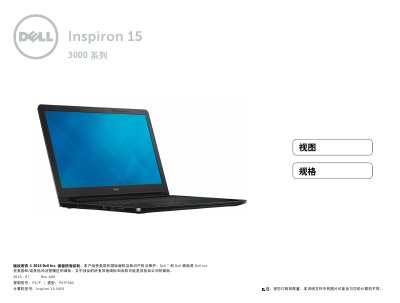
This document shows the external views and specifications of the Dell Inspiron 15-3552 laptop. It identifies the front, left-side, right-side, body, and display components, including ports, buttons, camera, and microphone.
It also lists system specifications such as processor and memory options, ports and connectors, communications, video, audio, touchpad, battery, power adapter, and computer environment limits. This manual is written in Chinese.
| Height | 21.70 mm (0.85 in) |
|---|---|
| Width | 380 mm (14.96 in) |
| Thickness | 260.30 mm (10.25 in) |
| Weight (maximum) | 2.20 kg (4.85 lb) |
| Processor options | Intel Celeron or Intel Pentium |
| Chipset | Integrated in processor |
| Memory slots | One SODIMM slot |
| Memory type | DDR3L |
| Memory speed | 1600 MHz |
| Supported memory configurations | 2 GB and 4 GB |
| USB 2.0 ports | 2 |
| USB 3.0 ports | 1 |
| HDMI ports | 1 |
| Headphone ports | 1 |
| Internal M.2 slot | One M.2 slot for Wi-Fi and Bluetooth combo card |
| Wireless | Wi-Fi 802.11ac, Wi-Fi 802.11b/g/n, Bluetooth 4.0, Intel WiDi |
| Video controller | Intel HD Graphics |
| Video memory | Shared system memory |
| Audio controller | Realtek ALC3234 with Waves MaxxAudio |
| Speaker output | Average 2 W, peak 2.5 W |
| Microphone | Single digital microphone in camera assembly |
| Touchpad resolution | 2040 x 1240 |
| Touchpad width | 105 mm (4.13 in) |
| Touchpad height | 65 mm (2.56 in) |
| Battery option | 40 Wh 4-cell smart lithium-ion |
| Battery option | 47 Wh 4-cell smart lithium-ion |
| Battery voltage | 14.80 VDC |
| Battery charge time (computer off) | Approximately 4 hours |
| Battery life | Approximately 300 discharge/charge cycles |
| Coin cell battery | CR-2032 |
| Power adapter input voltage | 100-240 VAC |
| Power adapter input frequency | 50-60 Hz |
| Power adapter input current | 1.30 A |
| Power adapter output current | 2.31 A |
| Power adapter rated output voltage | 19.50 VDC |
| Airborne contaminant level | G1 (per ISA-S71.04-1985) |
Press Fn+H.
The power adapter is connected and the battery charge is above 5%.
Approximately 4 hours.
19.50 VDC.