
User manual for Dell laptop.
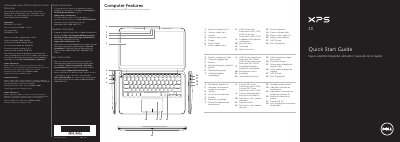
This Dell quick start guide applies to the XPS L321X and XPS L322X laptop models and includes regulatory information for Mexico, such as importer details and electrical ratings for regulatory model P29G.
The guide shows computer features including digital microphones, camera, display, power button, USB ports, and keyboard. It also provides quick start steps for connecting the power adapter, turning on the laptop, completing Windows setup, checking wireless status, using function keys, and locating the service tag and regulatory label.
| Input voltage | 100 a 240 VCA |
|---|---|
| Input current (max) | 1,30 A |
| Input frequency | 50 a 60 Hz |
| Nominal output current | 2,31 A |
| Nominal output voltage | 19,50 VCC |
| Regulatory model | P29G |
| Computer model | XPS L321X/XPS L322X |
The regulatory model is P29G.
It covers the XPS L321X and XPS L322X computer models.
Go to support.dell.com/manuals or click Start → All Programs → Dell Help Documentation.
Record the service tag and locate the service tag and regulatory label.