
Dell iDRAC6 Enterprise for Blade Servers User Guide

Integrated Dell Remote Access Controller 6 (iDRAC6) Enterprise for Blade Servers User's Guide, Version 2.1
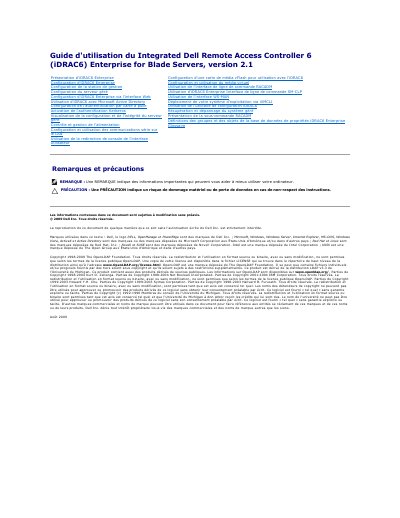

Dell iDRAC6 Enterprise for Blade Servers User Guide - cover page
Brand
DELL
Category
Servers Computer
Document type
User Manual
Language
French
Pages
249
File format
PDF
File size
1.8 MB
Published
22 November, 2023
Updated
22 November, 2023
MD5 checksum
16420456FB8595CB19EFAC79EF6F3622

About this manual

This document is the User Guide for the Integrated Dell Remote Access Controller 6 (iDRAC6) Enterprise for Blade Servers, version 2.1. It provides instructions on configuring the controller, managing the managed server, and using various interfaces including the Web interface, command line (RACADM), and serial console. The guide covers topics such as authentication setup, power management, and deployment of operating systems via iVMCLI. This manual is written in French.

What's inside

  • Présentation d'iDRAC6 Enterprise
  • Configuration d'iDRAC6 Enterprise
  • Utilisation d'iDRAC6 avec Microsoft Active Directory
  • Configuration et utilisation des communications série sur le LAN
  • Utilisation de la redirection de console de l'interface utilisateur
  • Utilisation de l'interface de ligne de commande RACADM
  • Récupération et dépannage du système géré
  • Définitions des groupes et des objets de la base de données de propriétés iDRAC6 Enterprise

Frequently asked questions

What is the purpose of the RACADM help command?

The help command lists all available subcommands with a brief description, or displays the syntax for a specific subcommand if one is entered after help.

What interfaces are supported for the RACADM command?

The RACADM command supports local, remote, and telnet/ssh interfaces.

What does the config command do?

The config command allows you to set iDRAC6 configuration parameters individually or group them in a configuration file.

Download PDF (1.8 MB)

More DELL Manuals


View all DELL manuals →